How I Use AI in Graphic Design Without Letting AI Design Everything
AI can accelerate graphic design, but it cannot replace visual judgment. Here's how I use AI for concept exploration, visual direction and creative experimentation while keeping design thinking, composition and communication human-led.
- Author
- Hasnain Ansari
- Published
- Reading time
- 4 min read
Introduction
AI has changed how quickly a designer can explore an idea.
A visual concept that might previously require hours of searching, sketching and experimentation can now be explored through AI-assisted tools in a fraction of the time. But speed alone doesn't make a design good.
For me, AI works best as a creative accelerator rather than a replacement for graphic design.
The difficult part of design is not simply generating an image. It's deciding what the image needs to communicate, what visual direction fits the brand, what should be removed, what needs emphasis and how the final piece should work within a larger communication system.
That's where the designer still matters.
Where AI Actually Helps Me
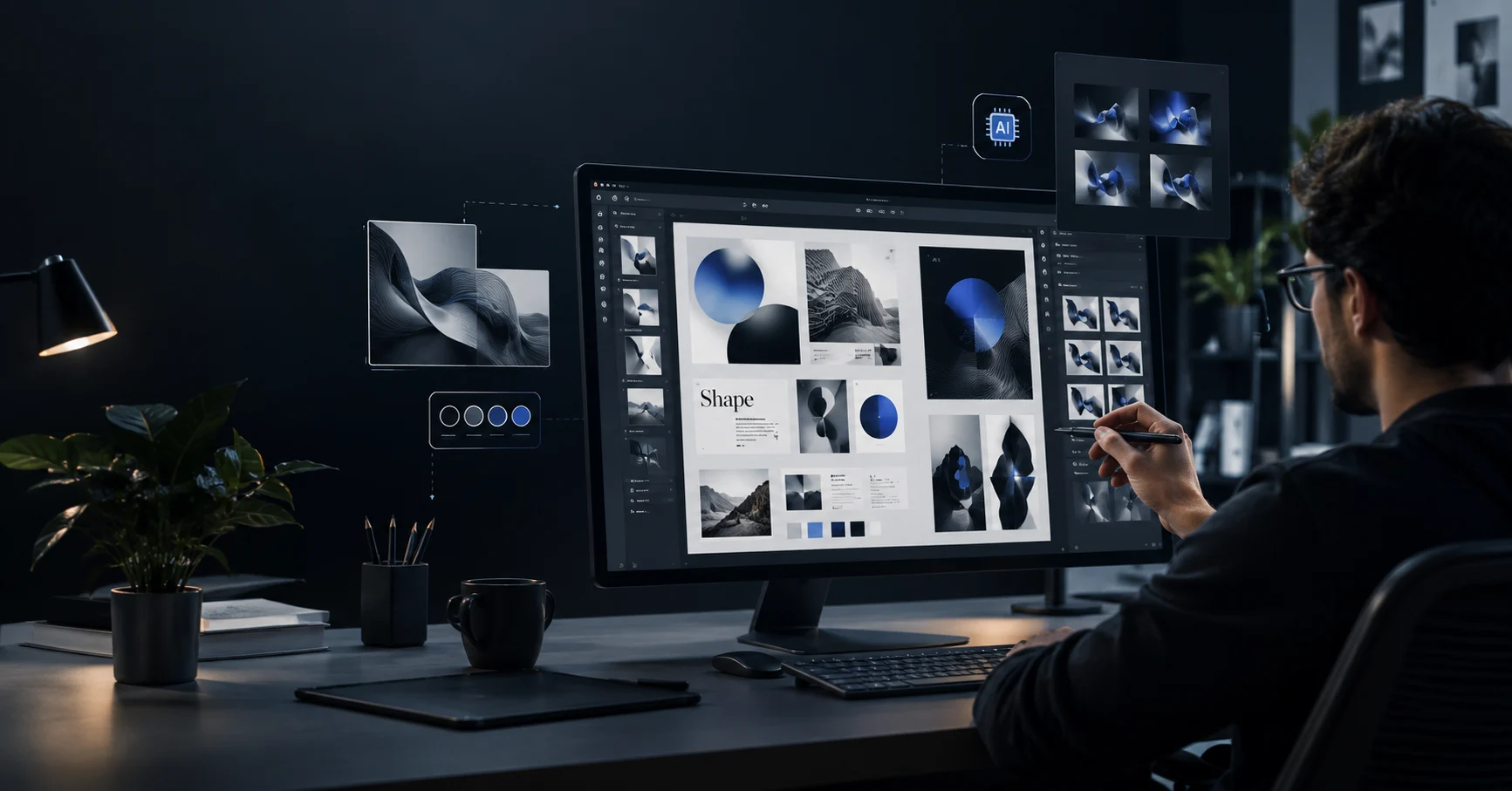
I use AI mainly during the parts of my workflow where exploration matters.
1. Exploring Visual Concepts
Sometimes the first challenge isn't execution — it's finding the right direction.
I can use AI to explore different visual possibilities before committing to a final design direction.
For example, a single idea can be explored through different:
compositions
environments
lighting directions
visual styles
perspectives
moods
product presentations
The goal isn't to use the first generated result.
The goal is to create a larger visual starting point.
2. Breaking Creative Deadlocks
Every designer eventually reaches a point where an idea simply isn't moving.
AI can be useful here because it introduces possibilities I may not have considered initially.
Instead of asking AI to create the final artwork, I can use it to challenge the initial direction and generate alternative approaches.
Sometimes the best result isn't something I use directly.
It's an idea that changes how I approach the design.
3. Creating Visual References
AI can also help create visual references for a concept before production begins.
This is particularly useful when the final visual requires a specific:
atmosphere
composition
product placement
camera perspective
environment
lighting setup
Rather than explaining an abstract idea repeatedly, a generated visual reference can communicate the direction much faster.
What AI Doesn't Decide for Me
This is the part that often gets lost in conversations about AI design.
Generating an image and designing a communication piece are not the same thing.
AI doesn't automatically know:
Who is this design for?
What should the viewer notice first?
What information is important?
Does this visual actually represent the brand?
Does the typography work with the image?
Is the composition balanced?
Does the final design communicate the intended message?
Those decisions still require design judgment.
A technically impressive image can still be the wrong design.
My Workflow: AI First, Designer Always
My workflow isn't:
Prompt → Generate → Publish
It's closer to:
Idea → Explore → Select → Design → Refine → Review → Deliver
AI is most useful during the exploration stage.
Once I have a direction, traditional design tools and design principles become just as important.
I may use tools such as Photoshop, Illustrator, Figma or other creative software to refine the final result.
That can mean:
correcting composition
removing unwanted elements
improving typography
adjusting colors
rebuilding sections
combining multiple visual elements
improving hierarchy
adapting the design for different formats
The generated output is often only one ingredient.
The Difference Between Generation and Design
This is probably the biggest distinction I've learned while working with AI.
Generation creates possibilities.
Design creates decisions.
A generator can produce hundreds of variations.
A designer has to decide which one communicates the idea best.
That means understanding hierarchy, contrast, typography, composition, spacing, visual storytelling and the audience.
The more powerful AI tools become, the more important that distinction becomes.
AI Is Most Valuable When It Expands the Process
I don't see AI as a shortcut that removes the need to understand design.
I see it as another layer in the creative process.
It can help me move from:
"What could this look like?"
to:
"Which direction is actually worth developing?"
That shift makes experimentation faster without removing the designer from the process.
What I Wouldn't Do
I wouldn't take an AI-generated image, add a logo and call the job finished.
That might produce something visually interesting, but visual interest isn't the same as effective communication.
A professional design still needs:
a clear objective
a defined audience
visual hierarchy
consistent branding
intentional composition
appropriate typography
technical accuracy
context
AI can assist with parts of that process.
It shouldn't be responsible for all of it.
AI and My Design Philosophy
My approach to design is fairly simple:
Design with purpose. Use technology to expand what's possible.
AI gives me another way to explore ideas, but the final responsibility remains with the designer.
That's also why I describe my work as AI Visual Design rather than simply "AI-generated design."
The technology is part of the workflow.
The design thinking is still the foundation.
Final Thought
AI has made visual experimentation dramatically faster.
But faster experimentation doesn't automatically produce better design.
The value comes from knowing what to explore, what to reject and what to develop.
For me, the best workflow is not human versus AI.
It's a combination:
Human direction + AI exploration + design judgment + technical refinement.
That's where I think AI becomes genuinely useful to a designer.
About the Author
Hasnain Ansari is a Graphic Designer, AI Visual Designer and Web Developer based in Delhi, India. His work combines graphic design, AI-assisted visual workflows, UI/UX and web development to create purposeful digital experiences.
Explore the portfolio →
https://hasnainansari.in/
About Me →
/about