How I Build Modern Websites: From Design to Deployment
A practical look at my modern web development workflow, from planning and UI/UX design to frontend development, backend integration, testing, SEO, performance and deployment.
- Author
- Hasnain Ansari
- Published
- Reading time
- 8 min read
Introduction
Building a modern website is much more than writing HTML, CSS and JavaScript.
A good website needs to look professional, communicate clearly, work smoothly across devices and give visitors an easy path to the information or action they are looking for.
When I build a website, I think about the entire process from the first idea to the final deployment.
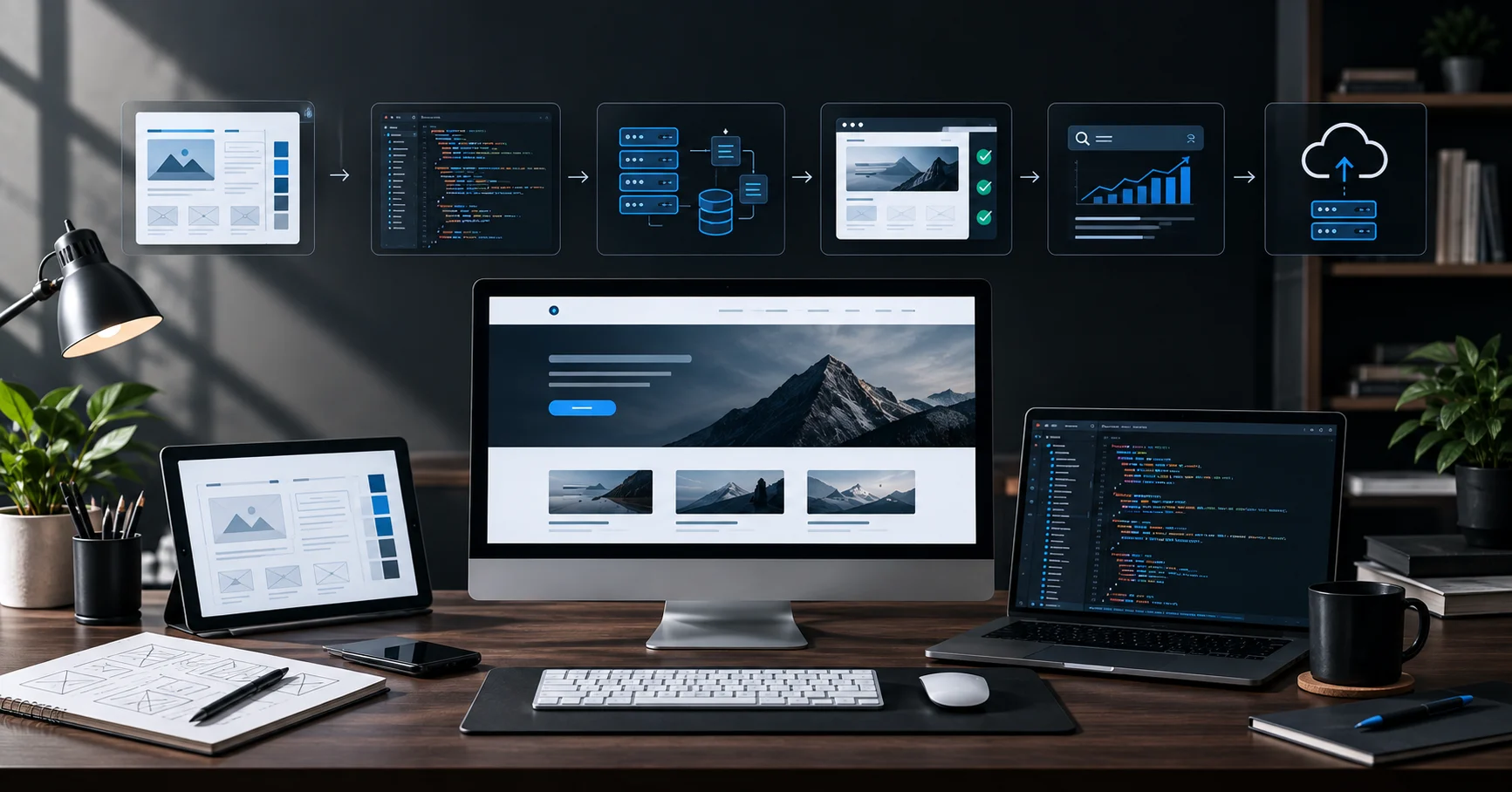
My workflow usually looks something like this:
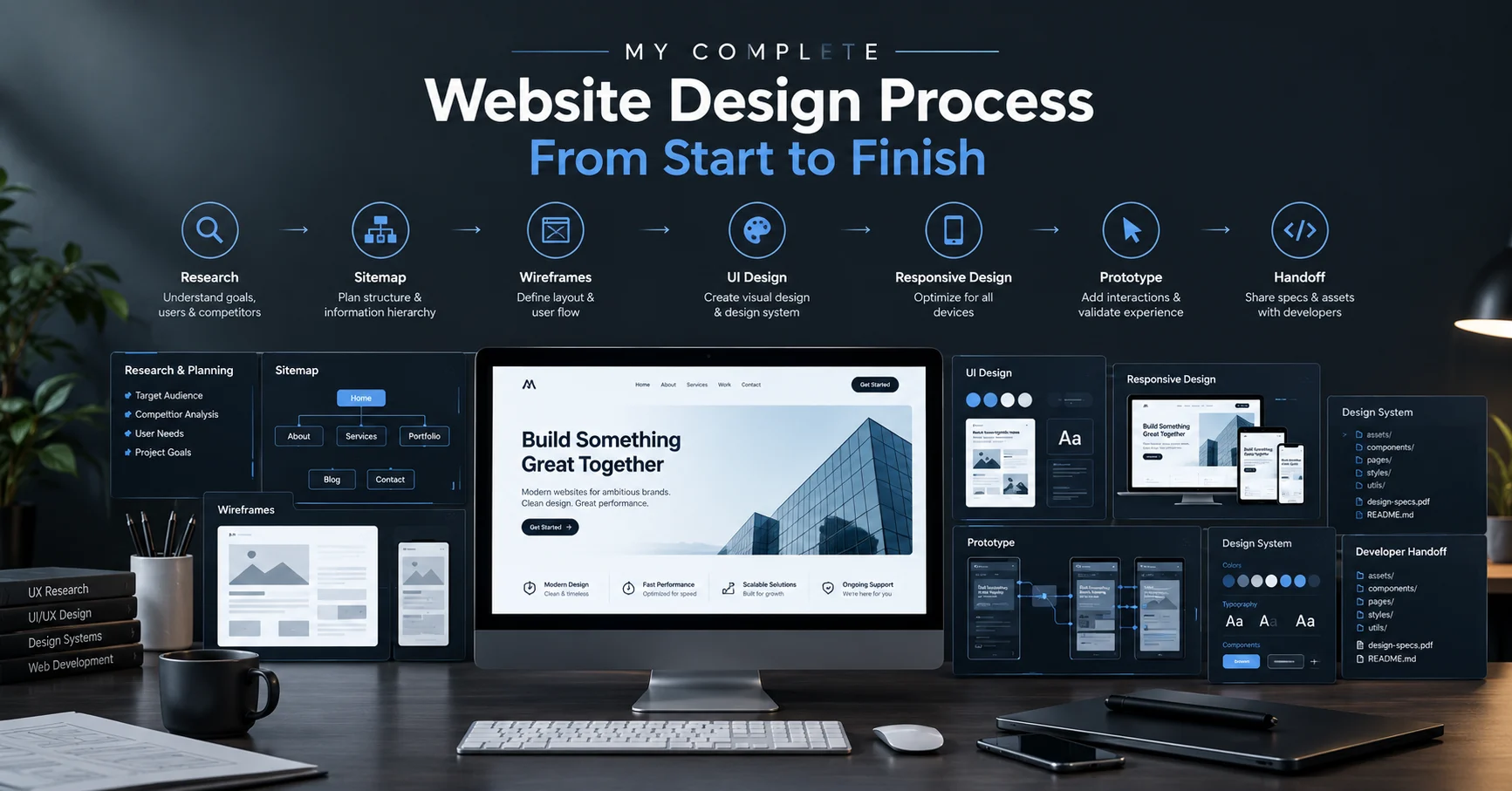
Research → Planning → UI/UX Design → Development → Integration → Testing → SEO → Deployment → Improvement
Every stage has a purpose.
The design needs to support the content. The development needs to support the design. The technical structure needs to support SEO and performance. And the final website needs to work for real users, not just look good in a screenshot.
Here's how I approach the process.
1. Understanding the Purpose of the Website
Before starting the visual design, I first try to understand what the website actually needs to accomplish.
A business website, portfolio, e-commerce store and web application can have completely different requirements.
I usually consider questions such as:
- Who will use the website?
- What does the business or person offer?
- What information should visitors find first?
- What action should users take?
- Which pages are required?
- What type of content will be published?
- Does the website need a database or admin panel?
- Does it require third-party integrations?
- What devices will users primarily use?
This initial planning helps prevent unnecessary features and keeps the project focused.
A modern website should have a reason behind every major section.
2. Planning the Website Structure
Once the purpose is clear, I plan the website's structure.
This usually includes deciding the main pages, navigation and content hierarchy.
For example, a business website might need:
- Home
- About
- Services
- Work or Projects
- Blog
- Contact
A web application may require a completely different structure, including dashboards, authentication, user areas and admin functionality.
I also think about how users will move between pages.
A visually impressive website can still be difficult to use if its navigation is confusing.
That's why I consider the user journey before development begins.
3. Designing the UI/UX
After planning the structure, I move into UI/UX design.
This is where I decide how the website should look and behave.
I focus on elements such as:
- Layout
- Typography
- Spacing
- Color
- Visual hierarchy
- Buttons and interactions
- Navigation
- Responsive behavior
- Content presentation
- Accessibility
My goal isn't simply to make a website look modern.
The interface needs to make the content easy to understand.
For a portfolio, for example, the design may focus heavily on visual presentation and case studies.
For an e-commerce website, product discovery, pricing, trust and the purchasing journey become much more important.
The design should reflect the purpose of the website.
4. Creating a Responsive Design
A website isn't finished just because it looks good on a desktop.
People access websites from phones, tablets, laptops and large screens, so responsive design is an important part of my development process.
I consider how the layout changes across different screen sizes.
A desktop navigation might become a mobile menu.
A multi-column section might become a single-column layout.
Large typography may need to scale down.
Images and other visual elements also need to adapt without breaking the layout.
The goal is to create one website that provides a consistent experience across devices rather than designing only for one screen size.
5. Turning the Design Into Code
Once the visual direction is established, I start development.
Depending on the project, this can involve technologies such as:
- HTML5
- CSS3
- JavaScript
- React
- Next.js
- Vite
- Git and GitHub
I build the interface component by component instead of treating the entire website as one large block of code.
This makes the project easier to maintain and modify later.
During frontend development, I also pay attention to:
- Semantic HTML
- Responsive layouts
- Reusable components
- Clean CSS
- Interactive states
- Loading behavior
- Accessibility
- Browser compatibility
The objective is to make the code support the design rather than simply reproduce a visual mockup.
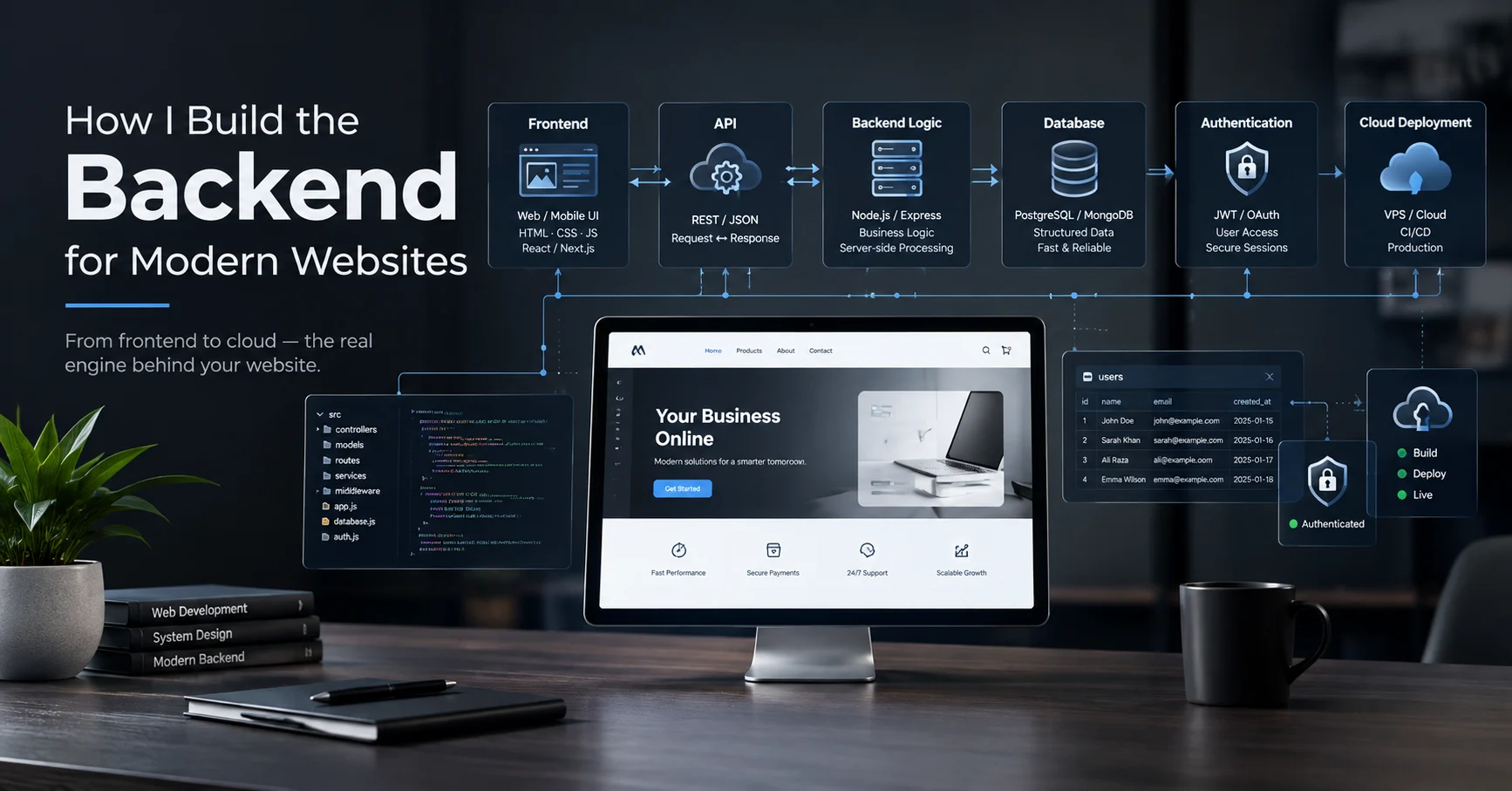
6. Adding Backend Functionality When Needed
Not every website needs a backend.
A simple portfolio or informational website may work perfectly well as a static or frontend-focused site.
But applications that require accounts, databases, dashboards or dynamic information need additional infrastructure.
For these projects, I may work with backend services and databases depending on the requirements.
For example, a web application might need functionality such as:
User → Login → Dashboard → Database → Admin Panel
The frontend handles the interface and user interaction, while the backend and database handle the data and business logic.
This separation becomes particularly important when building more complex web applications.
7. Connecting APIs and Third-Party Services
Modern websites often need to communicate with external services.
Depending on the project, this can include:
- Forms
- Email services
- Payment systems
- Authentication
- Analytics
- Content management systems
- Databases
- External APIs
I treat these integrations as part of the overall user experience.
For example, a contact form shouldn't just look functional.
It needs to actually submit the information correctly, provide useful feedback to the user and handle errors properly.
8. Making the Website Fast
Performance is another important part of modern web development.
A website can have a great design and still provide a poor experience if it loads slowly.
I look at areas such as:
- Image optimization
- File sizes
- JavaScript usage
- CSS efficiency
- Font loading
- Lazy loading
- Caching
- Network requests
- Core Web Vitals
Images are often one of the biggest contributors to page weight, so choosing the right dimensions and formats can make a significant difference.
I also avoid adding unnecessary animations or libraries simply because they look impressive.
Every technical decision should have a purpose.
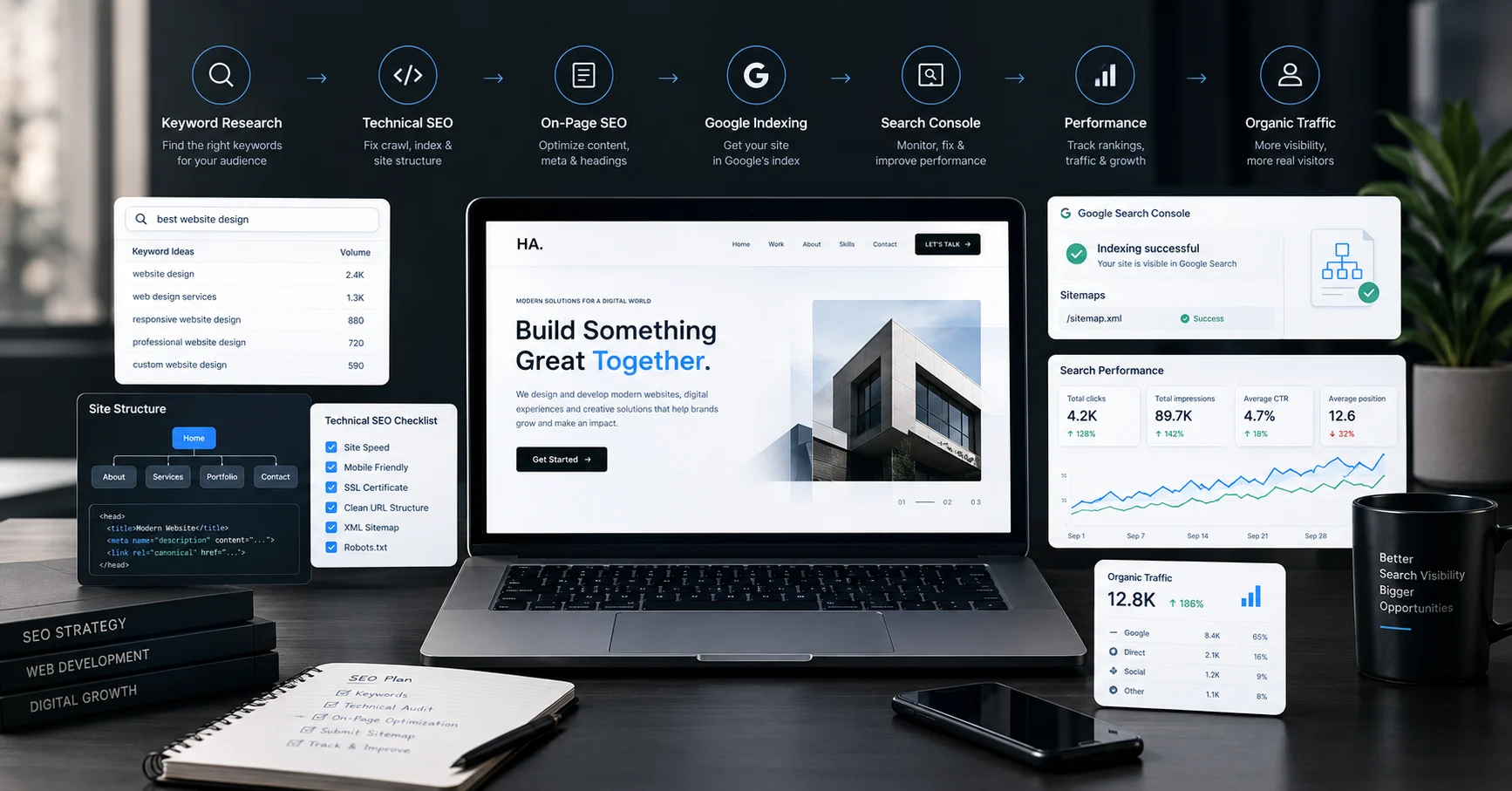
9. Building SEO Into the Website
SEO shouldn't be something added after the website is finished.
I consider search engine optimization during development itself.
Some of the technical and on-page elements I work with include:
- SEO-friendly page titles
- Meta descriptions
- Proper heading hierarchy
- Semantic HTML
- Descriptive URLs
- Image alt text
- Internal linking
- Canonical URLs
- Open Graph metadata
- Structured data
- XML sitemaps
- Robots.txt
- Mobile responsiveness
- Page performance
Good SEO is not simply about adding keywords to a page.
Search engines need to understand what a page is about, while users need to find useful information once they arrive.
Both parts matter.
10. Testing Before Launch
Before deployment, I test the website.
I don't consider a project finished when the development server shows the page correctly.
I check things such as:
- Mobile responsiveness
- Desktop layouts
- Navigation
- Buttons and links
- Forms
- Animations
- Images
- Page loading
- Console errors
- Broken links
- SEO metadata
- Social sharing previews
- Different browsers
For websites with backend functionality, I also test the relevant workflows and data interactions.
Testing helps catch problems that aren't always obvious during development.
11. Deploying the Website
Once everything is tested, I move to deployment.
Depending on the project, the deployment process can involve platforms such as Netlify or other hosting infrastructure.
A typical deployment workflow can look like:
Local Development → Git Repository → Build → Deployment → Live Website
After deployment, I don't immediately consider the job finished.
I check the live version again because production environments can behave differently from local development.
I verify the domain, HTTPS, pages, forms, assets, redirects and other important functionality.
12. Connecting the Domain and Technical Setup
A website also needs the correct technical configuration after deployment.
This can include:
- Custom domain connection
- HTTPS
- DNS configuration
- Redirects
- Sitemap
- Robots.txt
- Analytics
- Search Console
- Email or form integrations
These details aren't always visible to visitors, but they are important to the overall website infrastructure.
A website isn't only the interface people see.
There is an entire technical layer working behind it.
13. Monitoring and Improving the Website
Deployment isn't necessarily the end of the process.
Once a website is live, real users can reveal things that weren't obvious during development.
Analytics and search data can help identify:
- Which pages receive traffic
- Where visitors come from
- Which pages users interact with
- Which content performs well
- Where users leave
- Which search queries bring visitors
This information can then be used to improve the website.
For me, web development is not just about launching a website once.
It's about creating a foundation that can continue to evolve.
My Modern Web Development Workflow
Putting everything together, my workflow looks roughly like this:
1. Understand
Define the purpose, audience and requirements.
2. Plan
Create the website structure, pages and user journey.
3. Design
Develop the UI/UX direction, layout, typography and responsive behavior.
4. Develop
Convert the design into a functional frontend using the appropriate technologies.
5. Integrate
Connect databases, APIs, forms, authentication and other required services.
6. Optimize
Improve performance, responsiveness, accessibility and technical SEO.
7. Test
Check functionality across devices and browsers.
8. Deploy
Connect the domain and publish the website.
9. Monitor
Use real-world data to identify opportunities for improvement.
This process can change depending on the complexity of the project, but the underlying principle stays the same.
The Tools Are Important, But the Process Matters More
There are constantly new frameworks, AI tools and development platforms being introduced.
I use modern technologies when they make sense for the project, but I don't believe that using the newest tool automatically makes a website better.
A website built with a simple technology stack can be excellent if the planning, design and implementation are strong.
Likewise, a website using a modern framework can still be poorly designed or difficult to use.
The technology should support the objective.
It shouldn't become the objective.
Where AI Fits Into My Web Development Workflow
AI is also becoming part of how I work.
I use AI-assisted tools to accelerate certain parts of research, ideation, content exploration, debugging and development.
But I don't treat AI output as automatically correct.
Generated code still needs to be reviewed.
Generated content still needs editing.
Design ideas still need human judgment.
The same principle I use in AI visual design applies to web development:
AI can accelerate the process, but the final decisions still need to be intentional.
What Makes a Website Feel Modern?
For me, a modern website isn't defined by having excessive animations, gradients or visual effects.
A modern website should feel:
- Clear
- Fast
- Responsive
- Accessible
- Easy to navigate
- Visually consistent
- Technically reliable
- Useful
Sometimes the most effective interface is also the simplest one.
Good web design isn't about adding more.
It's about making the right things easier to see and use.
Final Thoughts
Building a modern website is a combination of design, development, technology and problem-solving.
The process starts before writing code and continues after the website goes live.
My approach is to connect each stage:
Purpose → Structure → Design → Development → Integration → Optimization → Testing → Deployment
When these pieces work together, the result is more than a visually appealing website.
It becomes a digital experience that is easier to use, easier to maintain and better prepared for real users and search engines.
That's ultimately what I aim for when I build websites: design with purpose, development with structure and technology that supports the experience.
About the Author
Hasnain Ansari is a Graphic Designer, AI Visual Designer and Web Developer based in Delhi, India. His work combines UI/UX design, web development, graphic design and AI-assisted creative workflows to build purposeful digital experiences.
He works across websites, landing pages, digital interfaces and creative projects, with a focus on combining visual design with practical technology.
Explore the portfolio →
https://hasnainansari.in/
About Me →
/about